If your child uses PECS, you know the drill: the binder, the Velcro, the laminator, the card for cookie that vanished somewhere between home and school. PECS (the Picture Exchange Communication System) earns its place. It teaches many children their first big lesson in communication: I hand over a picture, and something happens.
But most families hit its ceiling eventually. A binder can only hold so many cards, cards get lost, and the binder cannot speak. This guide covers when a move to an AAC app makes sense, what transfers over (more than you think), and how to make the switch without dropping the skills your child worked hard for.

The Good News: PECS Skills Transfer
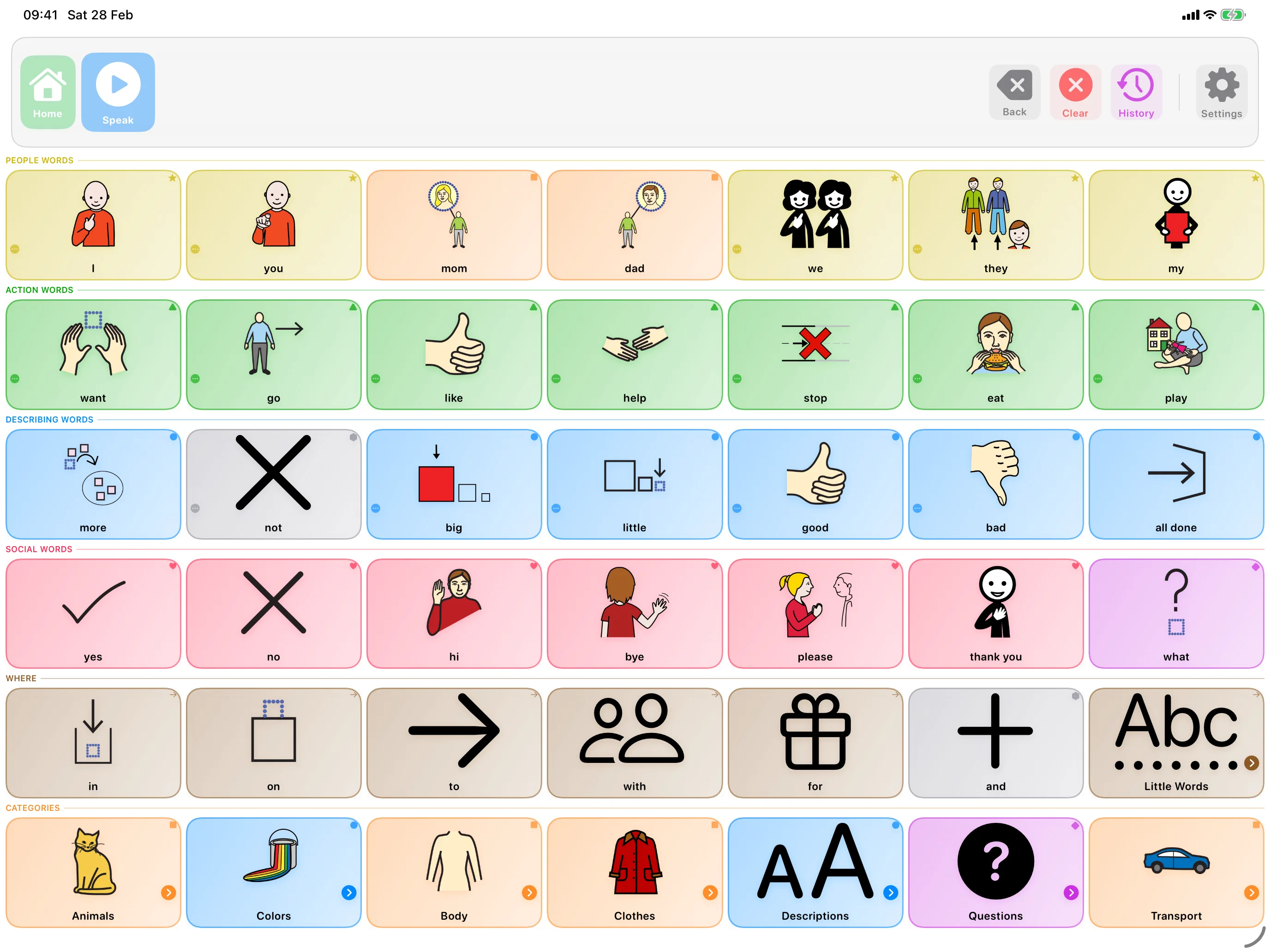
A child who uses PECS has already learned the hard parts: pictures carry meaning, communication is started by them, and putting pictures in a row builds a message. Those are exactly the skills an AAC app runs on. Tapping a symbol replaces handing over a card, and the message bar at the top of the screen is the sentence strip, just one that reads itself aloud. You are not starting over; you are moving a working system to better hardware.
Signs Your Child May Be Ready
- They use their cards spontaneously to request, not only when prompted
- They can tell pictures apart and find the one they want in the binder
- They want more words than the binder can practically hold
- They are building sentence strips, or starting to
- They are drawn to the iPad anyway, as most children are
What Changes on a Screen
- The app speaks. A card handed across a room says nothing; a tapped symbol says "drink" out loud, to anyone, and models the spoken word every time.
- Vocabulary stops being physical. Hundreds of words weigh nothing, and nothing falls off in the parking lot.
- Words beyond requesting open up. Feelings, comments, questions, and jokes rarely fit in a binder. On a board they are one tap away.
- The listener changes. With PECS, someone must receive the card. With speech output, your child can talk to the room.
A Gentle Transition Plan
- Rebuild the binder first. Start the app with the same words your child already uses, and photograph their actual PECS cards to use as button images if you want maximum familiarity.
- Keep the grid small. Match roughly what the binder offered, then grow it as confidence grows.
- Run both systems side by side. Keep the binder available while the app takes over. Let your child migrate at their own pace rather than retiring PECS overnight.
- Model relentlessly. Tap symbols yourself as you speak, the same way you once modeled card exchanges.
- Then grow past requesting. Once requests are solid on the app, start modeling comments (look, funny, all done) and feelings. This is where the app leaves the binder behind.
If your child learned PECS through a therapist or school, involve them in the move. Consistency between home and school matters more than the perfect app setup, and therapists can pace the transition around what your child is ready for.
How SpeakPad Helps
SpeakPad was built with this transition in mind. You can add buttons from your own photos in under a minute, so the pictures your child already knows come along. Buttons never change position, which lets tapping become as automatic as reaching for the right card was. The message bar works like a sentence strip that speaks. And it is free to download, so you can build the board and trial the move before you commit to it.
Related reading
- AAC for Children With Cerebral Palsy
- AAC for Children With Down Syndrome
- AAC for Gestalt Language Processors
- Apps for Late Talkers: What Helps and What to Skip
- How to Lock an iPad to One App with Guided Access
- Will AAC Stop My Child From Talking?
- What Are Core Words? A Simple Guide to AAC Core Vocabulary
- AAC for Childhood Apraxia of Speech (CAS): A Parent's Guide
- Best Free AAC Apps for iPad in 2026
- How to Import AAC Boards from Other Apps (OBF & OBZ Explained)
- Best AAC Apps for Autism on iPad (Parent Guide)
- The Best AAC Apps for Toddlers with Speech Delays
- How to Introduce an AAC Device to a Non-Verbal Child
From Handing Cards to Being Heard
Private, offline AAC for iPhone and iPad. Speaking is always free, with optional SpeakPad Pro tools for caregivers.
Learn More About SpeakPad