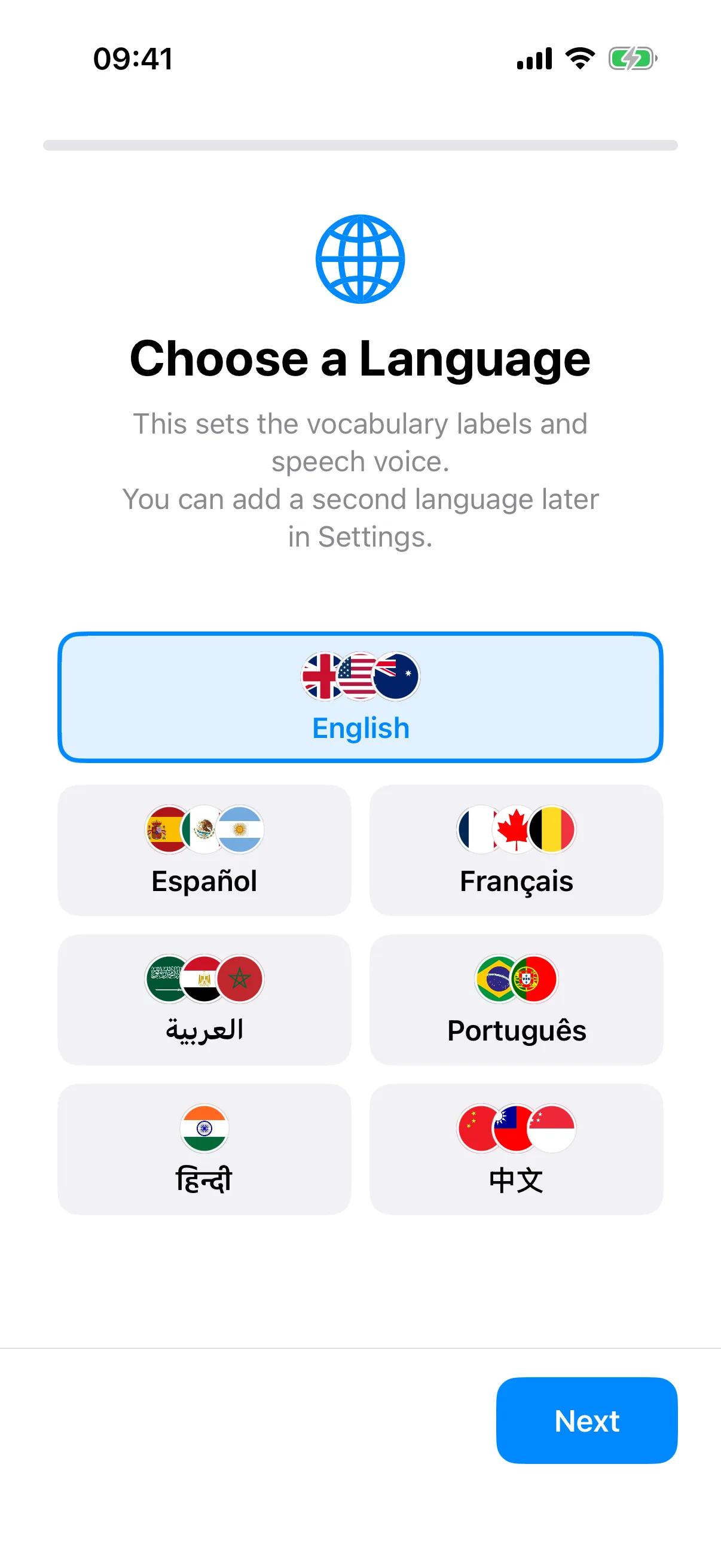
Many AAC apps force a bilingual family to choose one language. SpeakPad supports 7 languages (English, Spanish, French, Arabic, Portuguese, Hindi, and Simplified Chinese) in any combination: both labels on every button, and speech in either or both.
Setting the Primary Language
During onboarding, SpeakPad asks for a primary language. This sets the voice, the app interface, and the starter boards, which come fully translated rather than machine-relabeled. You can change it at any time in Caregiver Mode under Manage → Settings → Communication → Language.
Showing Both Languages
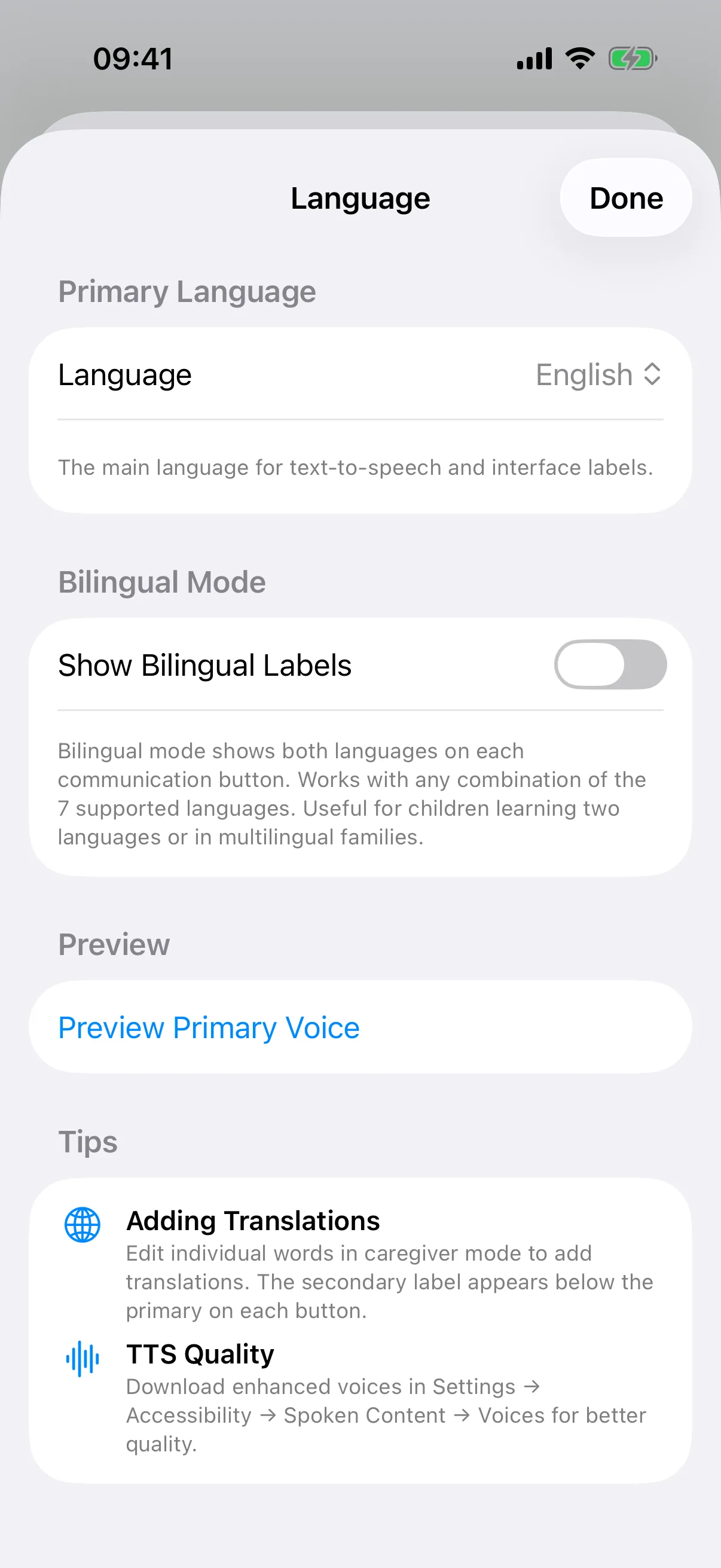
In the same Language settings, turn on Show Bilingual Labels and select a secondary language. Every button now shows the secondary label beneath the primary one, so a child can learn more and más as one button, and so can the grandparent doing pickup. If the two languages are close relatives the labels can be nearly identical, and SpeakPad will point that out.
What the Voice Speaks
You choose what a tap says: the primary language, the secondary, or Both, which speaks the primary first and then the secondary. There is a preview button for the secondary voice, and the enhanced-voice download tip from the voices guide applies to both languages.
Custom Words in Two Languages
Buttons you add yourself get their translation in Caregiver Mode: edit the word and fill in the secondary label. Family names and favorite foods usually need no translation at all, which is one reason photos of real things make such good first buttons.
Tips for Bilingual Families
Model in the language that flows most naturally for you; a rich model in your home language beats a careful one in your second. Keep the board layout identical across languages so the muscle memory transfers, and when you print paper boards from the app you can include bilingual labels there too, handy for school if home and school use different languages.
Make the Voice Match
Both languages sound best with the free enhanced voices downloaded. The voices guide shows where to get them.
Choosing a Voice Guide