If you have started comparing your toddler's words to the milestone charts, you are probably somewhere between "every child is different" and quiet 2am googling. Both instincts are right: many late talkers do catch up on their own, and acting early is still the best move for the ones who will not.
This article covers what "late talker" actually means, the signs that deserve a professional opinion rather than watchful waiting, and, because you are likely wondering, what an app can and cannot do to help.

What Is a Late Talker?
A late talker is usually a child between about 18 months and 3 years who understands well and is developing typically in other areas, but has few spoken words for their age. As a rough guide, professionals start paying attention when a child has fewer than 50 words or no two-word combinations by age two. Understanding the difference matters: a child who follows instructions and points and plays but says little has a different picture from a child who also seems not to understand.
When to Seek Help
You do not need to wait for a diagnosis, a certain age, or a health visitor to bring it up first. Speak to a speech-language therapist or your doctor if any of these sound familiar:
- No babbling, pointing, or gestures by 12 months
- No first words by 16 to 18 months
- Fewer than 50 words or no two-word phrases by age 2 to 2.5
- Your child loses words or skills they used to have
- They rarely respond to their name or seem not to understand simple language
The worst realistic outcome of asking early is being told everything is fine. Early support has no downside, and waiting has a real one: the toddler years are when language grows fastest.
Can an App Teach a Toddler to Talk?
Honestly: no app teaches a child to talk on its own, and any app promising that is selling something. Language grows through live back-and-forth interaction with people. Research on screen time consistently finds that passive video does little for early language, but that screens used together, with a caregiver talking about what is happening, can genuinely support it. The right question is not "which app will teach my child words?" but "which app gives us more to talk about together, and gives my child a way to join in?"
What Makes an App Worth Having
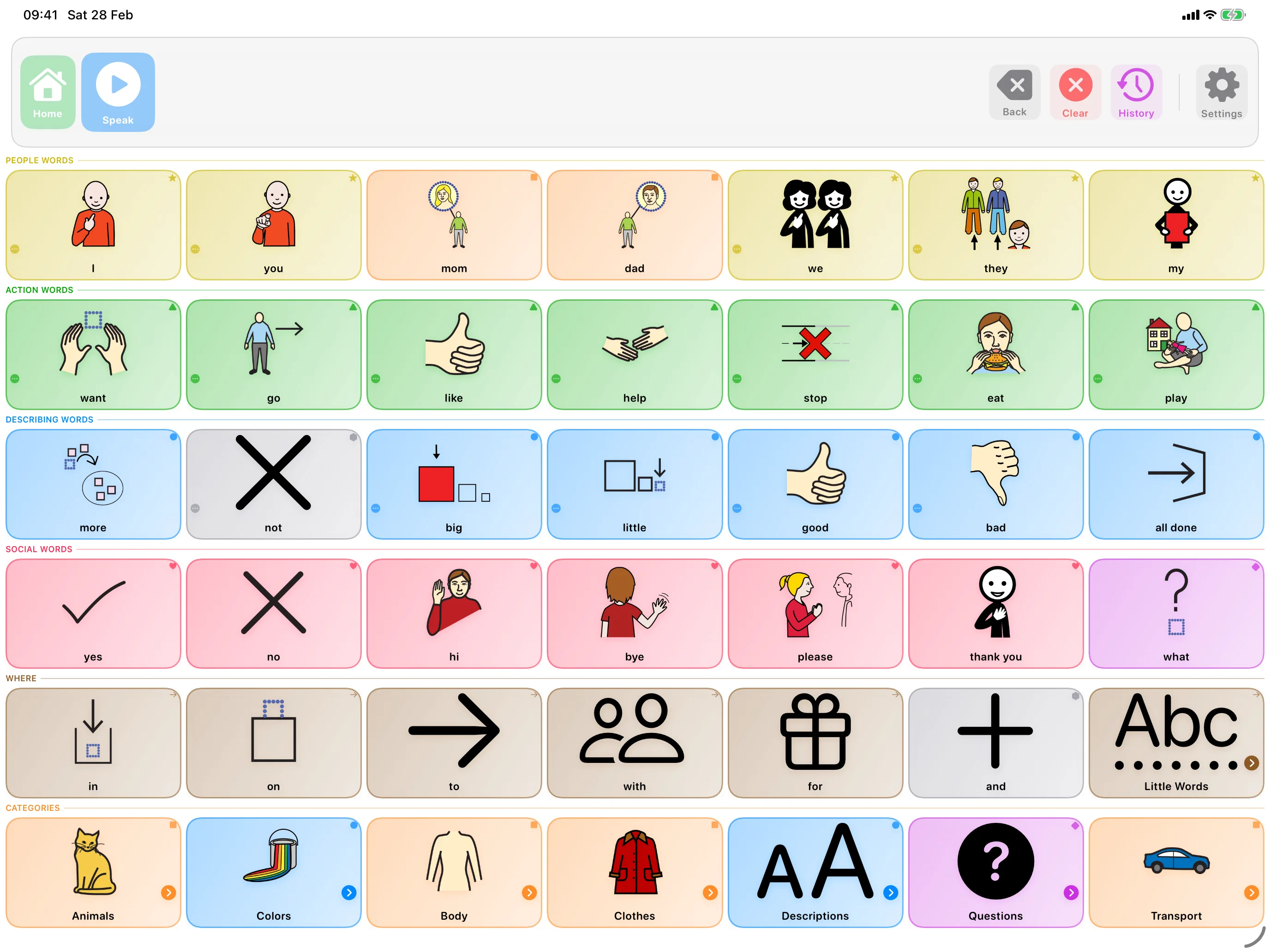
- It speaks real words. Tapping a picture should say the word aloud, clearly and the same way every time. That is a model your child can copy.
- It starts with useful words. More, go, help, no, want get a toddler further than a screen full of zoo animals.
- No ads, rewards, or noise. Confetti and jingles teach children to chase the reward, not the word.
- Your child drives it. Apps where the child chooses what to say beat apps that quiz them.
- It is built to be used together. The app should fit into play and daily routines, not replace them.
It will not. This is the most-studied question in AAC, and the answer is consistent: giving a child symbols to communicate with supports spoken language rather than replacing it. Late talkers who use AAC keep talking, and usually talk more.
How SpeakPad Helps Late Talkers
SpeakPad is an AAC app, which simply means every picture speaks. Your toddler taps milk and hears "milk", clearly and identically, hundreds of times across a week: exactly the repetition early speech is built on. The starter boards begin with first words rather than clutter, you can add photos of the real people and things in your child's life, and words never move position, so little hands learn where more lives. It is free to download, so you can see whether it clicks for your toddler.
Using It Day to Day
- Model, do not quiz. Tap words yourself as you talk: "more? MORE bubbles!" Your child learns by watching you use it.
- Follow their interests. Two minutes of engaged play beats twenty minutes of drills.
- Keep it in the routines. Snack time, bath time, and the buggy are where words happen.
- Count every kind of communication. A point, a tap, a sound, a word: respond to all of it like it counts, because it does.
Related reading
- AAC for Children With Cerebral Palsy
- AAC for Children With Down Syndrome
- AAC for Gestalt Language Processors
- Moving From PECS to an AAC App
- How to Lock an iPad to One App with Guided Access
- Will AAC Stop My Child From Talking?
- What Are Core Words? A Simple Guide to AAC Core Vocabulary
- AAC for Childhood Apraxia of Speech (CAS): A Parent's Guide
- Best Free AAC Apps for iPad in 2026
- How to Import AAC Boards from Other Apps (OBF & OBZ Explained)
- Best AAC Apps for Autism on iPad (Parent Guide)
- The Best AAC Apps for Toddlers with Speech Delays
- How to Introduce an AAC Device to a Non-Verbal Child
Give the Words a Head Start
Private, offline AAC for iPhone and iPad. Speaking is always free, with optional SpeakPad Pro tools for caregivers.
Learn More About SpeakPad