A child might hear Spanish at breakfast, English at nursery and both languages with a grandparent. Their communication board needs to fit that life. Bilingual AAC is about having useful words with the people who matter, rather than completing the same lesson twice.
ASHA recommends considering the languages used at home and in the community when planning AAC. Start with your family’s routines, then work with your speech and language therapist to adapt the vocabulary and access to your child. Using two languages does not cause speech or language difficulties or make them worse, including for children with disabilities, so you do not need to drop a family language to make AAC easier.
Start with people and moments, not a translation list
Write down who your child talks with, which languages those people use and what they enjoy together. A grandmother’s nickname, a favorite game or the food actually served at home may matter more than another page of generic nouns.
Choose one familiar moment in each language. Keep words for help, refusal, feelings and comments available alongside requests. A board should let a child say that something is wrong, funny or finished, as well as ask for more.
Show a message, then leave room for a reply
Modeling means pointing to a symbol while you speak naturally. You might point to “more” while saying “More bubbles?” You are showing how the board works, not asking the child to copy you.
Pause and notice their answer, whether it comes through a button, gesture, look, sign or speech. Do not withhold food or an activity until they produce the expected word. A clear refusal deserves a response in either language.
A bilingual snack conversation
In a Spanish-English home, a caregiver can use these short exchanges while pointing to the matching symbols:
- Offer: “¿Más?” / “More?” The child reaches for another piece; you acknowledge that answer.
- Comment: “Está rico” / “It’s tasty.” There is no question to answer and no demand to repeat.
- Refuse: The child selects “no.” You say “Vale, no más” / “Okay, no more” and respect it.
- Ask for help: When a packet is difficult to open, show “ayuda” / “help” while helping.
Use the language that fits the conversation. You do not have to say every sentence twice.
Let play include both languages
With a toy car, model “go,” “stop,” “again” and “my turn” in the language your family is using. Follow what interests the child: a crash might invite “again,” while a stuck wheel might invite “help.”
If a grandparent uses the other language, show them where those same messages are. Keep the activity playful. The aim is a shared conversation; counting correct translations can wait for a different kind of activity.
Use two labels as support, not as a requirement
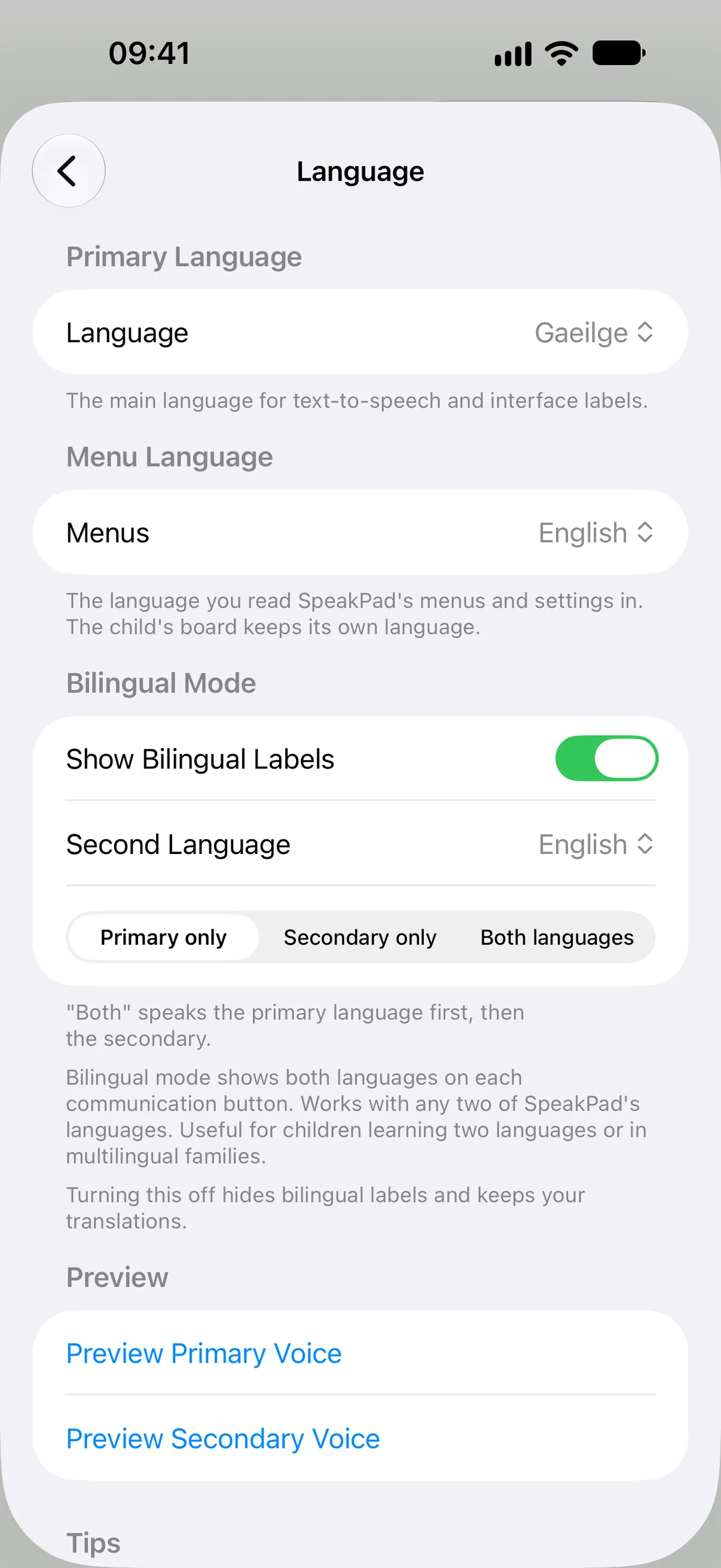
SpeakPad can show labels in two languages on each symbol and speak one language or both. This can help communication partners recognize the words when they use different languages. Try the speech options together and choose what suits the child and the current setting.
Two labels do not make every sentence a word-for-word translation. Grammar, familiar expressions and family names need care. Review useful phrases with a fluent speaker. The bilingual setup guide explains the settings.
Keep the plan usable across home and school
Give the teacher or therapist a short note: the languages used at home, important people’s names, the words the child already uses and a few meaningful routines. Ask how those messages can remain available at school.
The website offers printable boards in nine languages. For a customized bilingual copy, prepare and print a board in the app. Check the labels before printing and explain how your child accesses the board so a relative can join in.
Choose one conversation to begin
Start with snack time, a favorite toy or greeting someone after school. Add a missing word when it has a real purpose. Use the communication board library for ideas and the First Week guide for getting started. Keep both family languages welcome, and keep the child’s message at the center.
Want a board that speaks?
Private, offline AAC for iPhone and iPad. Speaking is always free, with optional SpeakPad Pro tools for caregivers.
Download on the App Store