A child using AAC may need Irish to join a classroom activity and English to talk with a relative later that day. The useful question is which messages they need in each setting, and how the adults around them will make those messages available.
Irish belongs in that conversation when it is part of the child’s life. Trinity College Dublin’s Geabaire work highlights access to Irish for AAC users. SpeakPad is another tool families can explore with their speech and language therapist; the right choice depends on the individual.

Choose messages that belong to the child’s day
Start with people, activities and places the child knows. Include their preferred family names, classroom routines and favorite games. Ask the family and school which Irish expressions they actually use rather than translating an English word list without context.
Make room for opinions and refusal, too. “Stad” (stop), “cabhraigh liom” (help), “arís” (again) and “críochnaithe” (finished) offer more possibilities than naming classroom objects alone. These are examples to adapt, not a required first vocabulary.
An Irish board does not require Irish menus
In SpeakPad, the board language and the menus can be set separately. A caregiver who is more comfortable reading English can keep the controls in English while the child’s board is in Irish. Bilingual labels can show English alongside Irish, with a choice of speaking one language or both.
Set this up before a busy classroom moment. Check what a tap says and whether the labels are comfortable to read. The Irish board with English menus walkthrough shows that setup; the bilingual guide covers the language options.
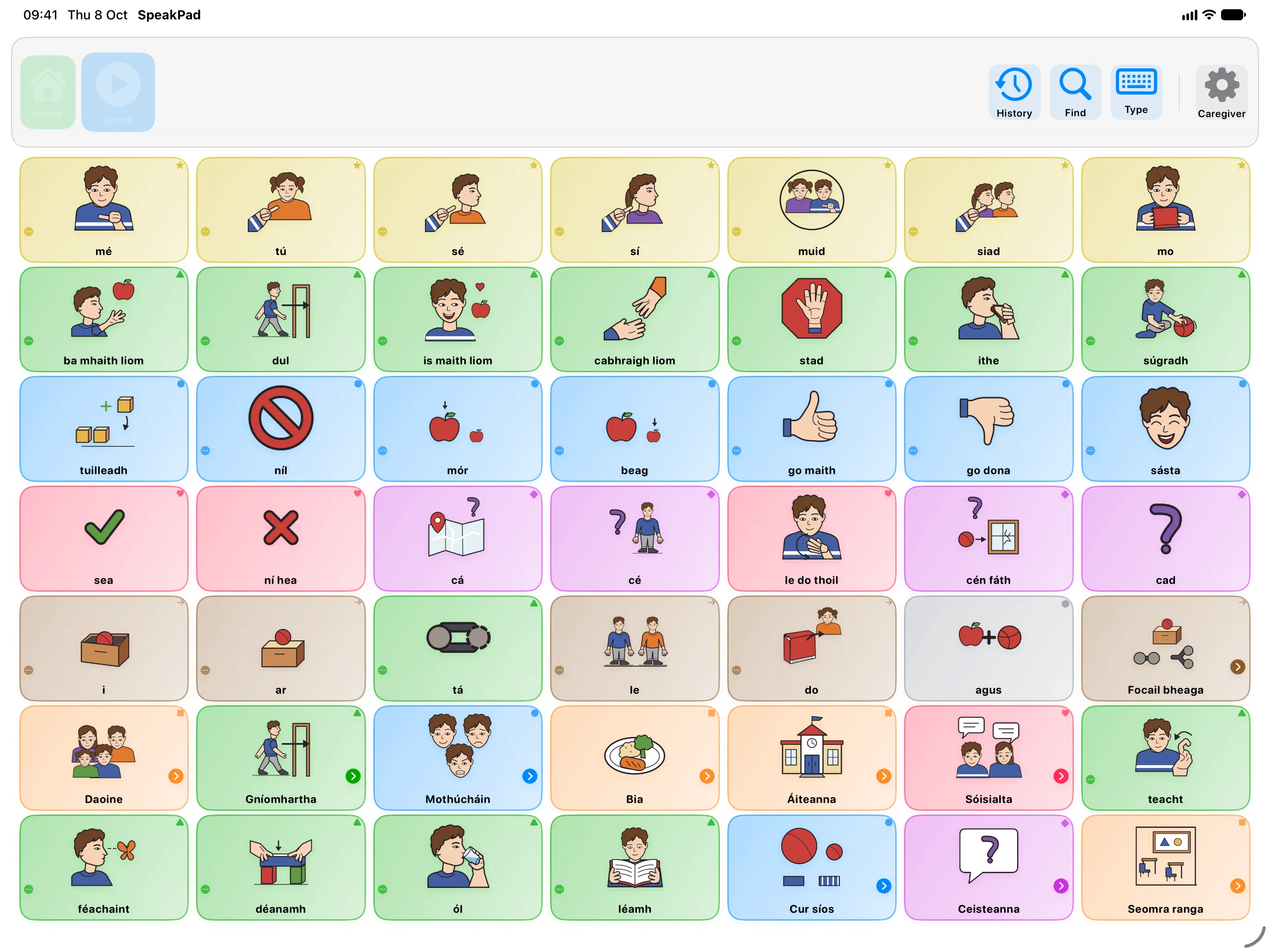
Listen to the Irish voice before you rely on it
Apple does not provide a built-in Irish voice. SpeakPad includes two Irish voices, Pádraig and Siobhán, so Irish speech works without downloading an Apple voice. They are synthesized voices, not recordings of a native speaker. SpeakPad Pro adds more Irish voices to download; the voices built into the app are free.
Listen to the words you plan to use, especially names and words you add yourself. If the voice does not have a word, SpeakPad spells it out, and you can record your own voice for that word in the board editor. Test it on the child’s device before sending the board to school.
Three small exchanges in an Irish-medium classroom
Keep these moments conversational. Point to a message while speaking naturally, then leave time for the child to answer in their own way.
- A game: Show “mo sheal” (my turn) when your turn begins. Leave the child room to take a turn, ask for another or choose something else.
- A stuck zip: Show “cabhraigh liom” (help) while offering assistance. Help does not depend on the child copying the word.
- An activity ending: Offer “arís” (again) and “críochnaithe” (finished). If the child indicates they are finished, acknowledge it; do not treat the answer as a mistake.
A gesture, sign, look, English word or Irish word can all contribute to the exchange. AAC should support participation, not become an Irish-language test.
Make a paper companion from the actual board
A printed copy can help during outdoor play or when a device is charging. In SpeakPad, customize the board, check the Irish and English labels, then use Print Board to make a PDF. Review the result before sharing it so the words and layout are familiar.
Printable boards are available on the website in nine languages. For a paper board in Irish, visit the Irish printable boards library. For a customized Irish or Irish-English board, prepare and print the version you need in the app. Check the labels and layout before sharing it.
Send a short handover, not just a device
Give school staff and family a note covering the languages used, the child’s familiar messages, how to respond to refusal and any pronunciation or recording that needs checking. Include a couple of real examples from home and ask for examples from class.
If a board needs to move between devices, the backup and transfer guide explains file-based options. Agree who will make changes and tell the other adults. A shared plan matters as much as a shared file.
Begin with one familiar routine
Try one game, greeting or snack conversation. Notice which messages are missing and adapt with the child and their therapist. See the bilingual AAC at home article for more family examples, and SpeakPad for schools for classroom tools.
Want a board that speaks?
Private, offline AAC for iPhone and iPad. Speaking is always free, with optional SpeakPad Pro tools for caregivers.
Download on the App Store