If your toddler is experiencing a speech delay, finding the right tools to support their communication journey is crucial. Augmentative and Alternative Communication (AAC) apps have revolutionised how we help late talkers, children with autism, and those with apraxia of speech express themselves.
But with so many options on the App Store, it can feel overwhelming. Do you need a heavy-duty clinical tool that requires an expensive subscription? Or something simpler?
In this guide, we break down the best AAC apps for toddlers, focusing on ease of use, evidence-based design, and affordability.
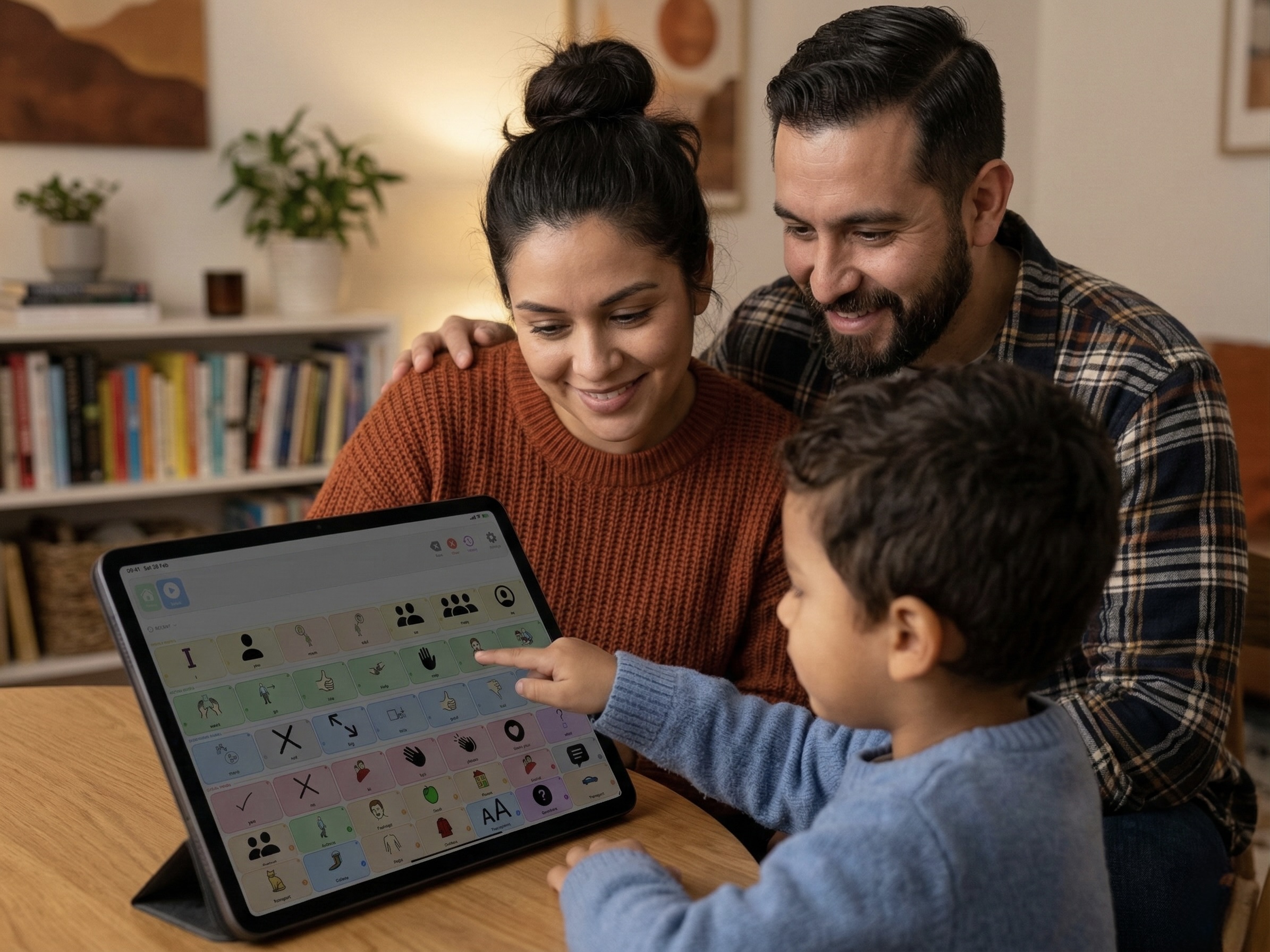
What Makes a Good AAC App for Toddlers?
Before diving into the list, it's important to know what Speech-Language Pathologists (SLPs) look for in an early intervention AAC tool:
- Core Vocabulary Focus: The app should prioritise high-frequency words (like "more", "stop", "go", "help") rather than just endlessly categorising nouns.
- Motor Planning: Buttons shouldn't move around randomly. Consistent placement allows a child to learn locations via muscle memory.
- Simplicity for Caregivers: If the app is too hard for parents to program in the moment, it won't get used.
- Distraction-Free: The AAC app shouldn't feel like a game. It needs to be a dedicated communication tool.
Don't be afraid to use Guided Access (iOS) to lock your toddler into their AAC app. This prevents them from exiting the app to play games, reinforcing that the iPad is their "voice".
1. SpeakPad (Best Overall for Toddlers)
We might be a little biased, but SpeakPad was designed specifically to solve the problems parents and SLPs face with early communicators. It strikes the perfect balance between clinical power and everyday simplicity.
Unlike enterprise apps that require hours of training, SpeakPad is ready to use instantly. It features a locked-down communicator mode for the child, and a secure parental gate for caregivers to add custom photos and edit vocabulary.
Key Features:
- Strict motor planning (buttons never randomly move).
- Fitzgerald Key colour-coding built-in.
- Visual Scene Displays (VSDs) for early communicators.
- 100% private, offline, and ad-free.
Pros
- Completely free (no subscriptions)
- Extremely easy for parents to edit
- Supports 7 languages simultaneously
Cons
- Currently limited to Apple devices (iOS/iPadOS)
2. Proloquo2Go
Proloquo2Go is one of the most famous AAC apps on the market. It is a robust, highly clinical tool that has been around for many years.
It is excellent for users who need a vast, deeply categorised vocabulary system that can grow with them into adulthood. However, its sheer density can sometimes be overwhelming for a two or three-year-old just starting their AAC journey.
Key Features:
- Crescendo™ vocabulary system.
- Over 10,000 symbols.
- Deep customisation options for SLPs.
Pros
- Industry standard in many schools
- Massive vocabulary depth
Cons
- Very expensive ($249+ USD)
- Steep learning curve for parents
3. TouchChat HD with WordPower
TouchChat is another powerhouse in the AAC world, particularly known for its integration of the WordPower™ vocabularies. WordPower is designed to facilitate quick sentence generation.
Like Proloquo2Go, it is a clinical-grade tool often provided by school districts. It offers immense flexibility but requires significant setup and training to use effectively.
Key Features:
- WordPower™ language system.
- Customisable page sets.
- Head-tracking capabilities.
Pros
- Excellent for building complex sentences
- Widely supported by SLPs
Cons
- High price point ($299+ USD)
- Interface can feel dated
4. Custom Boards (Low-Tech AAC)
While not an app, we have to mention "low-tech" AAC! Printed communication boards, laminated PECS (Picture Exchange Communication System) cards, or core word boards are fantastic entry points.
In fact, many SLPs recommend having a low-tech board available at all times - especially near water (like bath time) or when the iPad battery dies.
Key Features:
- Physical printed materials.
- Can be taken anywhere.
Pros
- Virtually free (cost of printing)
- Waterproof (if laminated)
- No screen time limits
Cons
- No voice output (relies on partner reading)
- Limited vocabulary space
How to Choose?
When choosing an AAC app for a toddler, the best app is the one that gets used consistently across all environments.
If an app is too complicated for you (the caregiver) to edit on the fly, or too expensive to justify without insurance coverage, it will likely sit unused. Start with a tool that emphasises core words, keeps the layout consistent for motor planning, and allows you to easily add photos of your child's favorite things.
Most importantly, remember that introducing AAC requires patience. Model device use constantly, keep it low-pressure, and celebrate every attempt your child makes to communicate.
Start Communicating Today
SpeakPad is the simple, private, completely free AAC app designed for both children and caregivers.
Learn More About SpeakPadRead more: How to Introduce an AAC Device to a Non-Verbal Child